 Paper Logic Studio
Featured product · AI dictation SaaS
Say it once. Get text ready to use.
Whispurr turns speech into text, then tidies it with settings you control and spoken commands for line breaks and lists. The core product is built, and the SaaS web app rollout is planned.
- Product: Whispurr
- Type: AI dictation SaaS
- Speech recognition: on-device model
- Web app rollout: planned
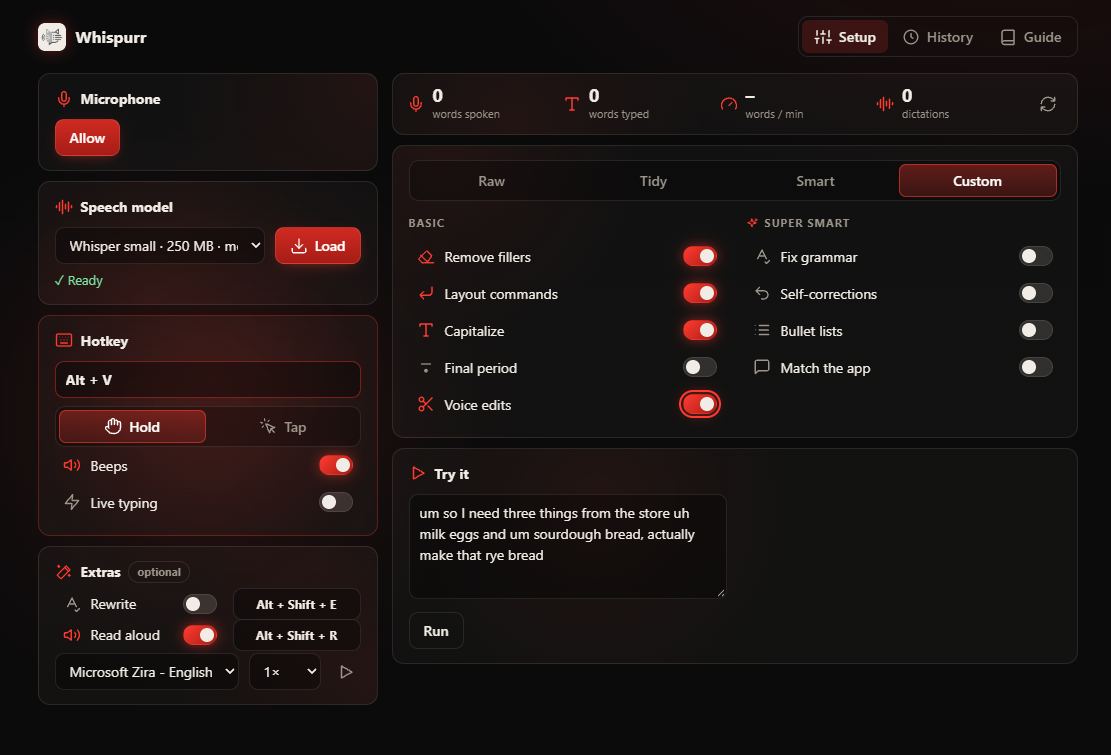
From speech to finished text.
- Start dictationUse the configured control to begin speaking.
- Recognize the wordsThe speech model turns audio into a text transcript on the device.
- Clean up the transcriptBasic rules remove filler words, capitalize text, and apply spoken formatting commands.
- Choose optional writing helpAdvanced writing features are still being worked through for the SaaS web app.
See the cleanup step on its own.
This example runs typed text through Whispurr's actual basic cleanup rules. It removes filler words and turns spoken layout commands into line and paragraph breaks. No audio is recorded in this demo, and the time shown is not a performance benchmark.
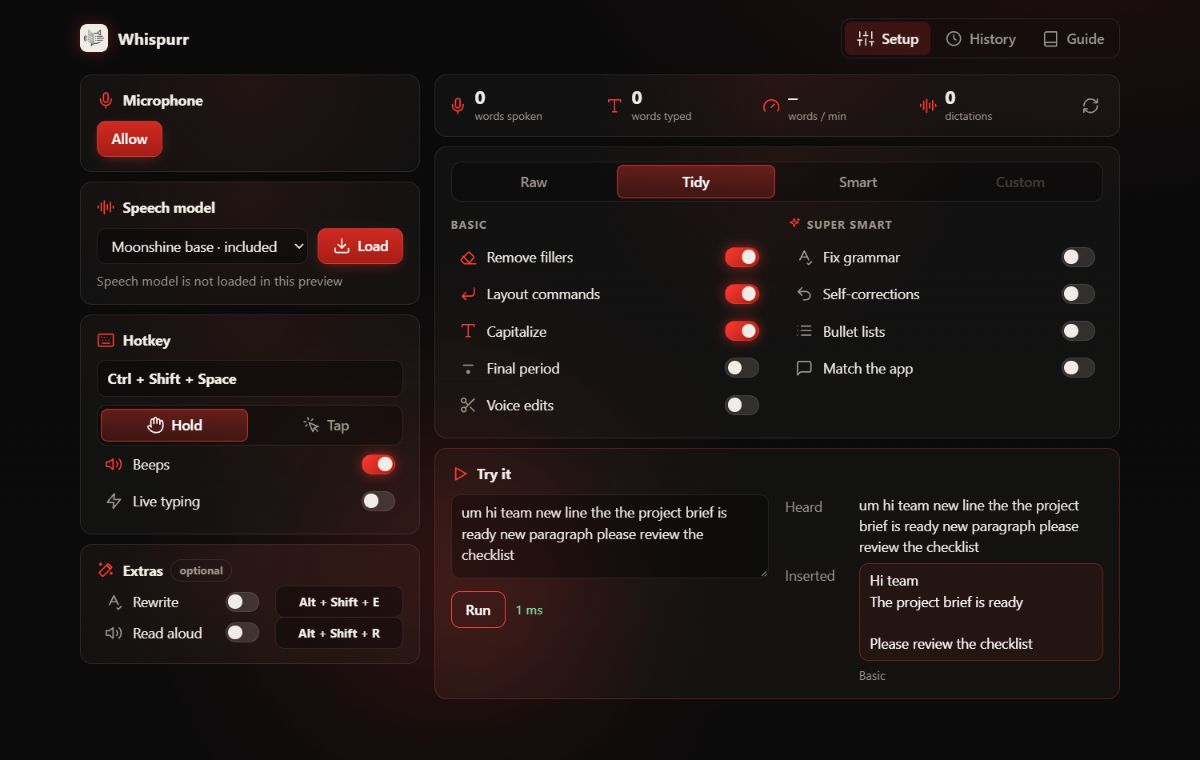
Two different jobs happen here.
The speech model recognizes words. A separate set of rules edits the transcript. Keeping those steps distinct makes it easier to see what the model did and what the cleanup settings changed.
We are preparing the SaaS web app version now. The screen above shows the product controls and a separate typed-text cleanup demo.